
Certum Solutions Resource Library
Your go-to hub for free expert resources on accounting, business software, business tips, technology tips, and more. Browse our library of free downloadable templates, video tutorials, how-to blog articles, accounting software comparisons, CFO insights, & more.
templates
➥
checklists
➥
guides
➥
white papers
➥
dates to know
➥
templates ➥ checklists ➥ guides ➥ white papers ➥ dates to know ➥
FREE DOWNLOADABLE BUSINESS RESOURCES
Data File Fragments and How to Fix Them
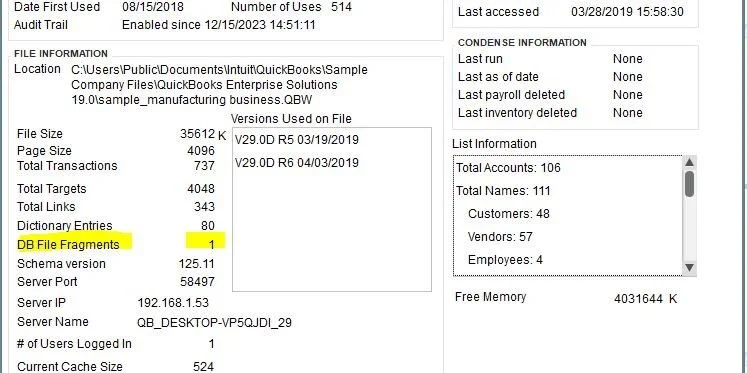
As you can imagine, the more fragments you have the more of a maintenance issue you have. The lower the number the better it is. The magic number is under 20, but if you are over this then it isn’t the end of the world. You are just in the yellow zone. The fewer fragments you have the quicker that the file can be read. File fragments in and of themselves are not the problem – you will never have 0 fragments. They are just one of the gauges to measure file health (highest I’ve seen was over 300, and that was a rough one!).
Setting Up Warehouse Worker Users in QuickBooks Enterprise
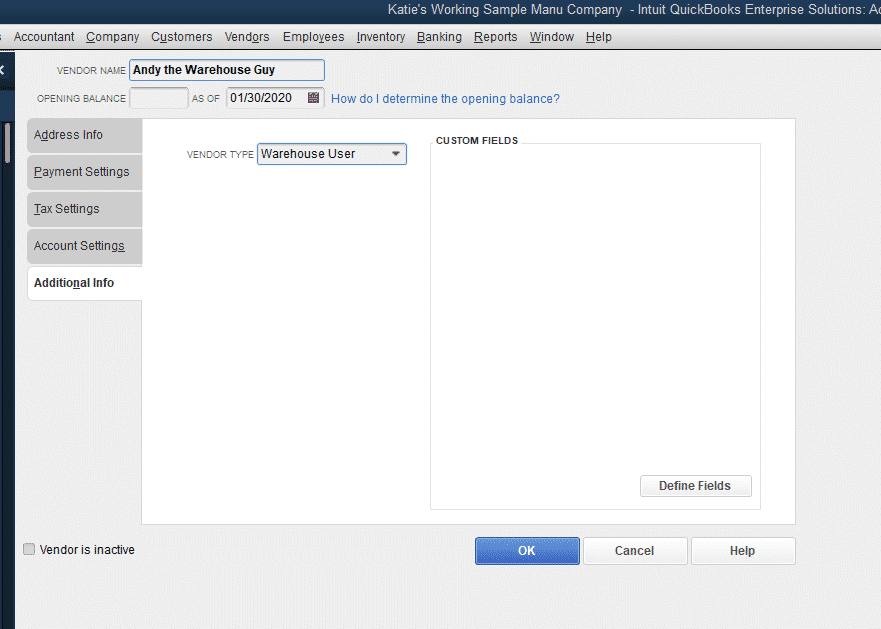
I have the inventory scanner, barcode scanner, setting up the Advanced Inventory preferences…everything… NO USERS.
So, we are about to fix that.

Turning on Advanced Inventory in QuickBooks Enterprise
Many of our posts are based in QuickBooks Enterprise and require Advanced Inventory to be on (required Platinum or higher subscription). To turn on Advanced Inventory, you will open up QuickBooks Enterprise and navigate to Preferences, under the Edit menu.
How to Enter Checks in QuickBooks Online, and When to Use Checks Instead of Enter Expenses
In this quick video I show you how to enter a check in QuickBooks Online (we used Advanced, but it will work for all QuickBooks Online editions). You will also learn when you would want to use the Write Checks function instead of the Enter Expenses function. While you can enter checks using the Expenses screen, I don’t recommend it typically for a few reasons. If these reasons are not important to your business, then using the Expenses screen is sufficient.

Things to Consider when Changing Software
As an Accredited Business Consultant, I focus on navigating the ever-changing balance between tech and people. When companies are changing software this differentiation becomes incredibly important to be aware of. My mantra is to let people do people stuff, and let tech do tech stuff. Knowing how to leverage the tools you have available for your business – no kidding – will make you money.

Unapplied Cash Payments in QuickBooks
You are running your reports at the end of the month, and come across an odd account on your P&L. Maybe your accountant asked about it, maybe it just stuck out like a sore thumb. Unapplied Cash Payments in QuickBooks are a funny animal. There seems to be a number there, and if you don’t know what it is, it takes way more time than necessary to fix!

Using the Chronobooks Backup for Your QuickBooks Online Advanced File
We were an early adopter of ChronoBooks, the newly acquired backup service for QuickBooks Online Advanced. A few years ago, we reached out to Nate, and were excited about his new service that was able to seamlessly backup QuickBooks files in case of issue.

How to Calculate Landed Costs in QuickBooks Enterprise
In a previous post we set up our QuickBooks Enterprise file to calculate Landed Cost, or the cost to get an inventory item to a recipient’s door. Landed cost is important, because it helps you understand the total cost of your items that are shipped, instead of only calculating the cost of creating the item. As any manufacturer or distributor knows, knowing your COGS (Cost of Goods Sold) is a critical need for business planning and pricing. If you need a refresher on how to turn on Landed Cost, please see the previous article below, then carry on with our post.

QuickBooks Enterprise 2020 Landed Cost
Continuing our thread of improvements to this year’s version of QuickBooks Enterprise, today we are talking about the brand new Landed Cost feature for QuickBooks Enterprise Platinum tier. This new feature is available in both the US and Canadian versions of QuickBooks Enterprise.
The Scale Gracefully Framework
Our Framework: Scale Gracefully
Every thriving business is built on three pillars. We help you strengthen them all.

Get visibility into your numbers with clean books, confident reporting, and expert advisory support.

Connect your accounting, operations, and software into one seamless system that saves time and improves accuracy.

Technology Confidence
Services Coming Soon. Build secure, scalable IT and software systems that grow with your business.