
QuickBooks Solution Provider · Top 5% ProAdvisor
QuickBooks for nonprofits, set up for funds, grants, and the board
If you're running a nonprofit on QuickBooks and fighting it every month to see restricted funds, grant balances, and a clean board report, the software isn't the problem — the setup is. We fix that.
✔️ Fund & grant tracking✔️ TechSoup discount help✔️ US-based teamWhy nonprofits choose Certum
Top 5%
QuickBooks ProAdvisors nationally
500+
businesses & nonprofits served
50
states supported, US-based team
A+
BBB accredited, woman-owned
15+
Years in Business Since 2012 as QB Elite
500+
Clients Nonprofits to mid-market
A+
BBB Accredited Woman-owned, NATP member
★
4.6 / 5.0 Google 47+ reviews
QB
Solution Provider, Top 5% ProAdvisors
Quick Summary
This guide is written for U.S.-based nonprofit leaders and finance staff evaluating QuickBooks for grant tracking, fund accounting, and board reporting in 2026. You'll learn when QuickBooks fits your nonprofit's size and when it doesn't, what setup actually matters for compliant fund accounting, and how Certum's nonprofit-experienced bookkeeper team can help. Book a free consultation →
Awards & Certifications
Why nonprofit QuickBooks is different
QuickBooks can run a nonprofit well — but only if it's built for fund accounting
QuickBooks has no dedicated fund-accounting module. Out of the box it tracks a business, not a mission with restricted dollars, multiple programs, and a board that needs answers. Most nonprofit QuickBooks files we inherit were set up like a small business, so restricted funds, grants, and program costs are tangled together — and year-end becomes a cleanup project. The fix is configuration, not a different product.
1
Restricted vs. unrestricted
Donor-restricted dollars have to stay visible and reportable, not buried in one lump of income.
2
Grants & programs
Each grant and program needs its own budget-to-actual view for compliance and renewals.
3
Board & Form 990
Your treasurer and tax preparer need clean statements on demand, not a spreadsheet rebuild.
Not sure your QuickBooks is set up right?
Get a free 30-minute review of your nonprofit's QuickBooks file. We'll tell you what's working, what isn't, and what it takes to fix it — no obligation.
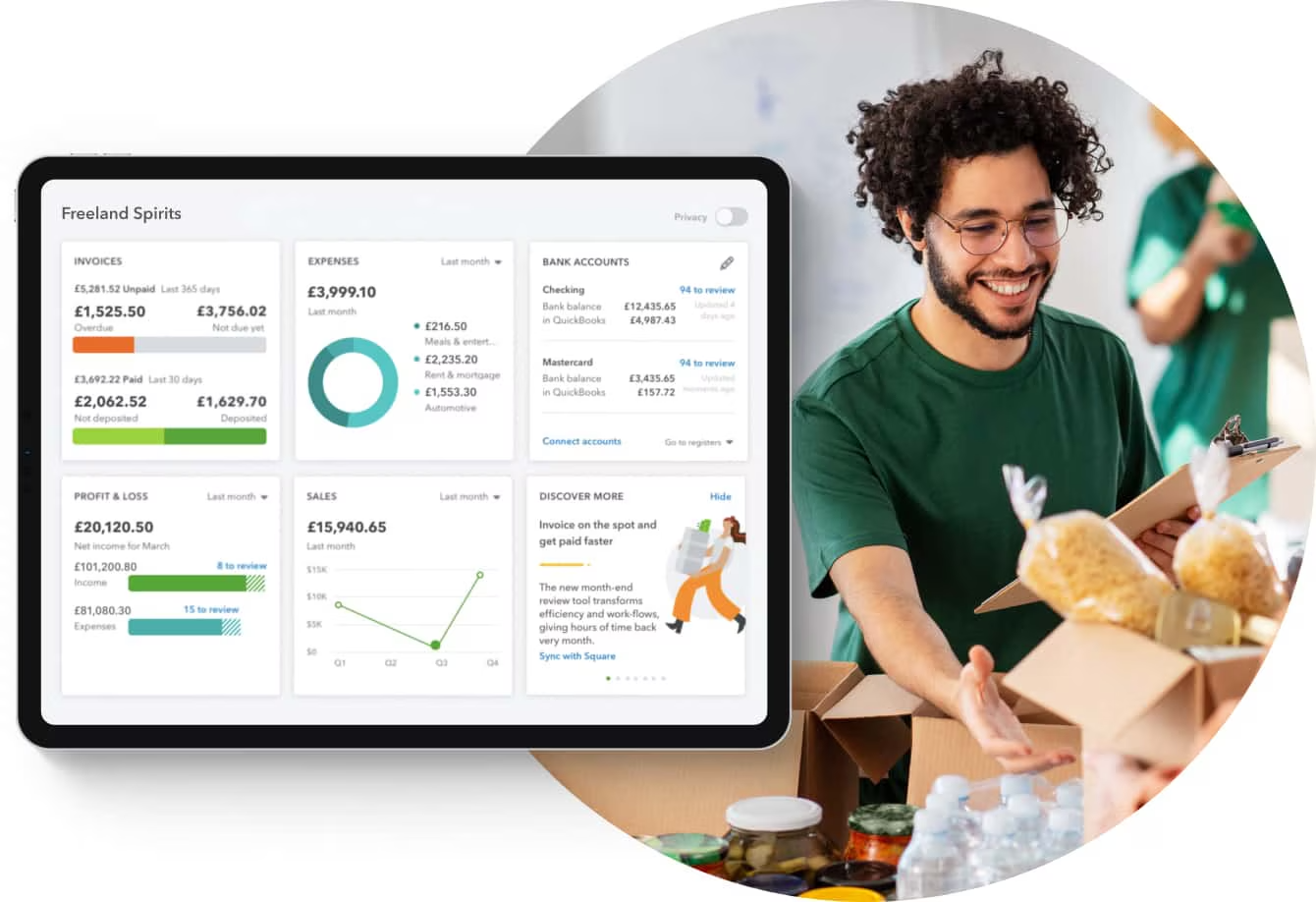
What we set up for your nonprofit
QuickBooks configured the way nonprofits actually report
We're accountants first and software second, so we build your QuickBooks file around how your organization reports to funders, the board, and the IRS — then train your team to keep it clean.
COA
Nonprofit chart of accounts
A chart of accounts that separates net assets with and without donor restrictions, so your statements are nonprofit-correct from day one.
%
TechSoup discount setup
Help confirming eligibility and claiming the discounted QuickBooks Online nonprofit pricing through TechSoup — set up under the right account.
$$
Restricted fund tracking
Classes and locations mapped to each fund so restricted and unrestricted dollars are tagged on every transaction automatically.
990
Board & 990-ready reports
Reporting configured so your treasurer pulls current board statements on demand and your tax preparer gets clean functional-expense detail.
G
Grant & program tracking
Projects or classes for each grant and program, with budget-to-actual reporting your program managers can read.
↻
Migration & cleanup
Moving off QuickBooks Desktop or a messy file? We migrate or clean it up with your fund history and reporting preserved.
Need ongoing help too? Pair this with our nonprofit accounting services for monthly bookkeeping with senior accountant oversight.
Which QuickBooks plan for a nonprofit
QBO Plus, Advanced, or Enterprise? Use this to decide
There's no single "QuickBooks nonprofit edition" you must buy. The right plan depends on how many funds, programs, and users you have, and how complex your grant reporting is. Here's how we guide nonprofits — and we recommend the plan that fits, not the priciest.
QuickBooks Online Plus
Best for
Most small to mid-sized nonprofits that need fund and program tracking without heavy customization.
Strengths
Classes and locations support fund and program tracking
Eligible for TechSoup nonprofit discount
Remote access for board, staff, and outside bookkeeper
Who should NOT use this
Nonprofits with many restricted grants and complex compliance reporting — step up to Advanced
Certum take
The right starting point for the majority of nonprofits we set up. Configured well, it does far more than most organizations realize.
QuickBooks Online Advanced
Best for
Growing nonprofits with grant-heavy reporting, more users, or the need for custom roles and deeper reporting.
Strengths
Custom user roles to protect sensitive data
Stronger reporting and budgeting for grant compliance
More users and higher transaction capacity
Who should NOT use this
Small all-volunteer nonprofits with simple finances — Plus is enough and cheaper
Certum take
Worth the step up once grant reporting and user management start eating your treasurer's time.
Intuit Enterprise Suite
Best for
Larger or multi-entity nonprofits that have outgrown standard QuickBooks Online.
Strengths
Multi-entity consolidation and deeper dimensions
Scales accounting without jumping to a full ERP
Who should NOT use this
Single-entity nonprofits under a few million in revenue — it's more than you need
Certum take
The right move for complex nonprofits — see our Intuit Enterprise Suite for nonprofits page for fit and migration.
Is QuickBooks free for nonprofits?
QuickBooks isn't free — but nonprofits get a real discount through TechSoup
QuickBooks does not offer a free nonprofit version. What's available is discounted QuickBooks Online pricing for qualifying 501(c)(3) organizations through TechSoup, which validates your nonprofit status and passes through Intuit's nonprofit rate. The savings are real — but they're easy to lose if the discounted subscription is set up under the wrong account or a poorly built file. We help you claim the discount and start clean.
How we work
From messy file to board-ready in four steps
01
Free consultation
A 30-minute call to understand your funds, grants, programs, and reporting headaches.
02
Review & plan
We review your current QuickBooks file and scope a fixed plan — setup, cleanup, or migration.
03
Build & migrate
We build the nonprofit chart of accounts, fund and grant tracking, and reporting, preserving your history.
04
Train your team
We train staff and board volunteers so the file stays clean between visits, not just on day one.
Honest guidance
Who Should NOT Use QuickBooks for Nonprofit Accounting
We're a QuickBooks Solution Provider, but we're platform-agnostic — we'll tell you when QuickBooks isn't the whole answer rather than forcing it to be.
QuickBooks works well for most nonprofits under roughly $2–3M in annual revenue with straightforward fund structures. Organizations managing complex multi-fund grant compliance, government contract reporting, or consolidated multi-entity financials typically outgrow QuickBooks and need Sage Intacct or a nonprofit-specific ERP instead. Certum will tell you honestly if that's where you are — we'd rather point you to the right system than force-fit the wrong one.
Credentials & recognition
Certifications that back the work

2022 Top QBO Advanced
2025 Top Clutch Financial Advising NC
QuickBooks Solution Provider — Top 5%
BBB Accredited A+
NATP Member
QB Elite Partner since 2012
2022 Intuit Trailblazer of the Year
Bloomerang Certified Partner
★★★★★ 4.6 / 5.0 on Google · 47+ reviews
Built and supported by a US-based team
Every nonprofit engagement is led by senior accountants and nonprofit specialists — no offshore handoffs. Founder Katherine "Katie" Bunschoten brings 20+ years in accounting and software, and the firm has been a QuickBooks Elite partner since 2012.
Our nonprofit bookkeeping specialist, Nicole Martin, has worked with nonprofit finance teams on QuickBooks setup, fund accounting configuration, and grant reporting for organizations across North Carolina and nationwide.
Real nonprofit client results
Nonprofits we've actually done this for
The setup and support above isn't theory. Here are two nonprofits we did it for — read the full stories.
NC
Holly Ridge, NC nonprofit
A small membership nonprofit had QuickBooks errors putting their tax compliance at risk. We corrected the books, set up ongoing support, and gave their leadership confidence at filing time.
SC
STEM ARC, Lancaster, SC
A STEM-education nonprofit needed QuickBooks Online set up and help meeting South Carolina and federal 990 deadlines. We handled setup, compliance, and hands-on mentorship for the founder.
Reviews
What Our Clients Are Saying
4.6/5.0 on Google · Clutch Top Financial Consulting Charlotte 2026
“The team at Certum is very knowledgeable about all things QuickBooks and will get you the answers you need when the Intuit QuickBooks support team falls short. We have booked several sessions with them and always come away learning what we needed and then some.”
— Cathy D.“Certum has been great! I had a backlog of items that needed cleaning up and Neyda is doing an incredible job. My favorite thing is the communication. They are always quick to answer my questions.”
— Mario C.“Samuel Johnson has been a huge help for us during out Quickbooks integration. The benefits of having the support has helped us resolve many issues and concerns as we get deeper into the software. We even just signed up for a longer term support deal to help continue the relationship. Thank you Certum and Sam!”
— Josh K.Free Business Resources
QuickBooks Nonprofit Resources
Expert insights on business systems and technology. Check out our system guides, comparisons, demos, tutorials, and more.


Nonprofit QuickBooks FAQ
Questions nonprofits ask us about QuickBooks
-
QuickBooks is not free for nonprofits, but qualifying 501(c)(3) organizations can buy QuickBooks Online at a steep discount through TechSoup, which validates your nonprofit status and passes through Intuit's nonprofit pricing. Certum helps you confirm eligibility, claim the TechSoup discount, and set the file up correctly the first time so the savings aren't lost to a messy configuration.
-
Most small to mid-sized nonprofits do well on QuickBooks Online Plus, which supports classes and locations for fund and program tracking. Organizations with grant-heavy reporting, multiple programs, or more users often move to QuickBooks Online Advanced for custom roles and deeper reporting. Larger or multi-entity nonprofits may need Intuit Enterprise Suite. Certum recommends the plan that fits your reporting needs, not the most expensive one.
-
Register your organization with TechSoup, complete their nonprofit eligibility validation, and request the QuickBooks Online nonprofit offer. TechSoup confirms your 501(c)(3) status and provides access to discounted Intuit pricing. Certum can guide your team through eligibility and make sure the discounted subscription is set up under the right account so reporting and user access work from day one.
-
QuickBooks does not have a dedicated fund-accounting module, but it can track funds effectively when configured correctly. Certum uses classes, locations, projects, and a nonprofit-specific chart of accounts to separate restricted and unrestricted funds, programs, and grants so your statements meet nonprofit reporting standards. The capability is real; the setup is what determines whether it works.
-
Restricted and unrestricted funds are tracked in QuickBooks using classes (or locations) mapped to each fund, paired with a chart of accounts that separates net assets with and without donor restrictions. Every transaction is tagged to its fund so you can produce a Statement of Financial Position and Statement of Activities by fund. Certum builds this structure during setup so it runs automatically rather than relying on manual cleanup at year-end.
-
Yes. QuickBooks can track grants by using projects or classes for each grant, which lets you report income and expenses against a specific award and its budget. This supports grant compliance reporting and renewal applications. Certum sets up grant tracking so program managers can see remaining budget without digging through the general ledger.
-
Most nonprofits should use QuickBooks Online because it supports remote access for boards and bookkeepers, integrates with donor and payroll tools, and receives ongoing updates. QuickBooks Desktop is being phased out by Intuit, so new nonprofits should not start there. Certum migrates nonprofits from Desktop to QuickBooks Online with their fund history and reporting preserved.
-
Yes. When the chart of accounts and fund tracking are set up correctly, QuickBooks produces board-ready financial statements and the functional expense detail used to prepare Form 990. Certum configures reporting so your treasurer can pull current board reports on demand and your tax preparer gets clean numbers at year-end.
-
Setting up QuickBooks for a nonprofit means selecting the right plan, building a nonprofit chart of accounts, configuring classes or locations for funds and programs, setting up donor and grant tracking, and creating board and Form 990 reporting. Certum handles the full setup, including the TechSoup discount and migration of existing data, so your organization starts on a clean, audit-ready file.
-
A nonprofit should consider moving beyond standard QuickBooks when it manages many restricted grants with complex compliance reporting, operates multiple entities, or needs dedicated donor management QuickBooks cannot provide. In those cases Certum recommends Intuit Enterprise Suite for accounting scale or a donor platform like Bloomerang alongside QuickBooks, rather than forcing one tool to do everything.
-
Yes. Certum is based in Monroe, NC, in the Charlotte metro area, and serves nonprofits in all 50 states with a US-based team and senior accountant oversight. Local North Carolina nonprofits get the same setup as organizations we support remotely nationwide.
-
Setup cost depends on your organization's size, the number of funds and programs, and whether you are migrating existing data. Certum scopes each engagement after a free 30-minute consultation so you get a fixed plan rather than a surprise. Book a consultation to get a clear quote for your nonprofit.
Related from Certum
Keep exploring nonprofit support
Let's get your nonprofit's QuickBooks right
Book a free 30-minute consultation. We'll review your file, talk through funds and grants, and give you a clear plan — accountants first, software second.
Prefer to call? (980) 210-6946
Certum Solutions · Monroe, NC 28112 · (980) 210-6946 · QuickBooks, Intuit Enterprise Suite, and TechSoup are trademarks of their respective owners. Certum Solutions is an independent QuickBooks Solution Provider and is not affiliated with or endorsed by TechSoup.