
✓ Certified Intuit QuickBooks Partner
QuickBooks Implementation Services for Growing Businesses
QuickBooks is the most widely used accounting platform for small and mid-sized businesses, but incorrect setup is the leading cause of inaccurate reporting, workflow chaos, and expensive year-end cleanups. Most businesses think they just need QuickBooks "set up." What they actually need is strategic QuickBooks implementation that configures the system to run their business correctly from day one. Certum Solutions specializes in professional QuickBooks implementation services that ensure your system is built right, scaled for growth, and actually adopted by your team.
15+ Years
Implementing
QuickBooks Environments
800+ QBO
Integrations We Configure
U.S.-Wide
Remote & Nationwide QB
Implementation
13+ Intuit Awards
Earned by Certum Solutions, QSP
✔️ Woman-Owned & BBB Accredited
✔️ Accountants Who Speak Tech
✔️ Platform-Agnostic Advisors
✔️ Local Roots, National Reach
What Is QuickBooks Implementation?
Buying QuickBooks is the easy part. Getting it to actually work for your business — that's implementation.
QuickBooks implementation is the structured process of configuring the software around your specific workflows, chart of accounts, integrations, and reporting needs, rather than leaving it in a default state that doesn't reflect how your company operates. Without proper implementation, most businesses end up with a QuickBooks file that technically functions but produces reports they can't trust, bank accounts that won't reconcile, and a setup that slows the team down instead of speeding it up. Proper implementation means QuickBooks is built for your business from day one; the right accounts, the right integrations, the right reports, and a team that actually knows how to use it.
Our Process
Our QuickBooks Implementation Process
Every Certum QuickBooks implementation follows a proven eight-step process. No shortcuts, no default templates, no drop-and-go handoffs.
Discovery & Business Assessment
We start by understanding how your business actually runs — your revenue model, transaction volume, current software stack, existing data, pain points, and what you need QuickBooks to produce. This shapes everything that follows.
Chart of Accounts Design
Your chart of accounts is the foundation of everything. We design it to produce the financial reports your business actually needs — by project, location, department, or entity — not a generic default list that leaves your leadership team guessing.
Database Migration & Cleanup
If you're moving from another platform — QuickBooks Desktop, Xero, Wave, FreshBooks, Excel, or a prior accounting firm — we handle the full migration. Historical transactions, customer and vendor records, open balances, and payroll history arrive in your new system clean, reconciled, and validated. Errors from the old system don't follow you into the new one.
Integration Setup & Validation
QuickBooks rarely works in isolation. We build and validate every integration your business depends on — Shopify, Amazon, Cin7, Katana, payroll platforms, CRMs, and more. Every sync is tested end-to-end before you go live, so data flows correctly from day one.
Workflow Configuration
We configure QuickBooks to match how your team works — invoicing workflows, approval paths, bank feeds, recurring transactions, class and location tracking, and reporting schedules. The goal is to remove manual steps and build a system your team will actually use without workarounds.
Role-Specific Team Training
Every person who touches QuickBooks gets trained on what's relevant to their role — not a generic tutorial. Your accounts payable team learns AP. Your operations manager learns reporting. Your leadership team learns the dashboards. Training happens in your live, configured environment so your team builds real confidence before going solo.
First Month-End Close Support
Your first month-end close is where most implementations fall apart if they're left to the client alone. We stay alongside your team through the entire first close — reviewing reconciliations, catching configuration gaps, and making real-time adjustments so your financial statements come out clean.
Ongoing Advisory & Optimization
Implementation doesn't end at go-live. As your business grows, your QuickBooks setup needs to evolve with it. Certum clients have access to ongoing advisory support — whether that's adding a new integration, restructuring reporting as the company expands, or transitioning to a more advanced platform when the time is right.

After implementation, we offer training so your team can use the software confidently from day one. Learn More About Our QuickBooks Training Services →
Services
What's Included in a QuickBooks Implementation?
Every Certum QuickBooks implementation includes the following deliverables as standard. No hidden scope, no line items you have to negotiate for later.
Business & Data Discovery Session - A structured intake to understand your business model, existing data, software stack, and implementation goals before any configuration begins.
Custom Chart of Accounts — Designed for your industry and reporting needs, not a generic default list.
Full System Configuration — Bank feeds, products and services list, tax settings, payment terms, invoice templates, and all core settings configured to match your workflows.
Database Migration & Validation — Historical data imported, cleaned, and reconciled. Balances verified before go-live.
Integration Build & Testing — All required third-party connections (payroll, inventory, e-commerce, CRM) built and validated end-to-end.
Workflow Automation Setup — Recurring transactions, bank rules, approval paths, and automation configured to reduce manual entry.

Role-Specific Team Training — Customized training for each role that touches QuickBooks, delivered in your live environment.
Process Documentation — Written SOPs for your core QuickBooks workflows so new team members can onboard without starting from scratch.
First Month-End Close Walkthrough — We stay with you through your first full close to catch gaps and confirm the setup produces accurate financial statements.
Go-Live Support — Dedicated support during the transition period to resolve questions and issues in real time.
Post-Implementation Review — A scheduled check-in 30 days after go-live to ensure everything is performing as designed.
Dedicated U.S.-Based Point of Contact — One consistent person manages your implementation from kickoff to go-live. No handoffs to a call center.

Timeline
QuickBooks Implementation Timeline
weeks
weeks
weeks
weeks
Timelines above are estimates. Your implementation specialist will give you a specific project plan with milestones and deadlines during the Discovery phase. All Certum implementations are fixed-scope — you'll know exactly what's included and when before work begins.
Why Certum Solutions
Why Businesses Choose Certum for QuickBooks Implementation
Most QuickBooks implementations are done once and handed off. Ours are built to last — because we understand that the real cost of a bad implementation isn't the setup fee, it's the months of unreliable financials, manual corrections, and lost time that follow.
Top 2% QuickBooks Elite ProAdvisor — Nationwide
Certum Solutions holds Elite ProAdvisor status — placing us in the top 2% of QuickBooks consulting firms in the country. That's the highest tier Intuit awards, and it's based on demonstrated expertise and client outcomes, not just software volume.
500+ QuickBooks Implementations Completed
We've implemented QuickBooks across a wide range of industries — construction, manufacturing, e-commerce, nonprofits, professional services, distribution, and more. The scenarios that trip up less experienced consultants are the ones we've already solved dozens of times.
100% U.S.-Based Team
Every accountant, implementation specialist, and project manager at Certum is a U.S.-based employee. No offshore handoffs. No rotating support queues. You work with one dedicated point of contact who knows your business from kickoff through go-live.
Vendor-Agnostic — We Recommend What's Right for You
If QuickBooks isn't the right fit for your business, we'll tell you — even if it means recommending Odoo, Xero, or a different platform entirely. We hold certifications across multiple platforms specifically so we can give you an honest recommendation rather than a convenient one. Most clients who reach out for QuickBooks implementation end up confirming it's the right call. But we'll tell you if it's not.
Fixed-Scope Engagements — No Surprise Invoices
Every implementation is scoped and priced before work begins. You know exactly what's included, what the timeline looks like, and what success means before we start. If scope changes, we communicate it proactively — we don't invoice for things you didn't agree to.
The Problem: Why Most QuickBooks "Setups" Aren't Actually Implementations
QuickBooks is the most widely used accounting platform for small and mid-sized businesses, but incorrect setup is the leading cause of inaccurate reporting, workflow chaos, and expensive year-end cleanups. Most businesses think they just need QuickBooks "set up." What they actually need is strategic QuickBooks implementation that configures the system to run their business correctly from day one.
Here's what typically happens when businesses try to implement QuickBooks themselves or hire the wrong consultant:
Common QuickBooks Implementation Failures We Fix
Generic chart of accounts copied from templates
- Template accounts don't match your revenue streams
- Missing accounts for your specific expenses
- Wrong account types causing incorrect financial statements
- No consideration for tax planning or management reporting needs
Missing workflow automation
- Bills entered manually instead of automated approval workflows
- Invoices created one-by-one instead of batch processing
- No automated payment reminders or collections workflows
- Month-end tasks done manually that should be automated
Broken integrations
- Payroll runs outside QuickBooks, requiring manual journal entries
- E-commerce sales entered manually from CSV files
- Inventory counts tracked in spreadsheets
- Payment processors not syncing, causing reconciliation nightmares
No class/location tracking
- Reporting shows overall profit but can't identify which divisions are profitable
- No way to track project-level margins
- Can't compare performance across locations
- Unable to make data-driven decisions about resource allocation
Inaccurate reports from day one
- Balance sheet doesn't balance
- Profit & loss shows incorrect gross margins
- Cash flow reports don't match bank balances
- Management can't trust the numbers for decision-making
Untrained team
- Different staff members enter data inconsistently
- Workarounds developed that create more problems
- Features ignored because team doesn't know they exist
- Resistance to using the system properly
Month-end close nightmare
- No standardized close process
- Reconciliations done manually with errors
- Last-minute surprises requiring investigation
- Financial statements delayed, impacting business decisions
Tax time disasters
- Year-end cleanup required before tax preparation
- Missing expense deductions due to miscategorization
- Payroll liabilities incorrectly recorded
- Additional accounting fees for cleanup work
Sound familiar? You're not alone.
These are the exact problems Certum Solutions solves with proper QuickBooks implementation.
Awards & Certifications

Let's figure out what your business actually needs
Tell us where you're at; we'll tell you exactly what makes sense next. No pressure, no obligation, just clarity.
Prefer to call? (980) 210-6946
Types of QuickBooks Implementation We Handle
Not all QuickBooks implementations are the same. The right approach depends on where you're starting from, which product you're moving to, and how complex your operations are. Certum handles all major implementation scenarios:
New Business Setup
Starting from scratch gives us the opportunity to build your QuickBooks environment the right way from day one. We design your chart of accounts, configure your products and services list, set up your banking connections, configure tax settings, and establish the reporting structure your business will actually use.
Migration from Another Platform
Moving from Sage, FreshBooks, Wave, Excel, or a legacy on-premise system to QuickBooks requires careful data mapping and validation. We handle the full migration — historical transactions, vendor and customer records, open balances, and bank connections — so nothing gets left behind and your historical data arrives clean.
QuickBooks Version Upgrade
Moving from QuickBooks Online to QuickBooks Enterprise, or from QuickBooks Desktop to QuickBooks Online, isn't just a software switch — it's a reconfiguration. We manage the upgrade, reconfigure your workflows for the new environment, and train your team on what's changed.
Multi-Entity & Multi-Location Setup
Businesses operating across multiple locations, entities, or departments need QuickBooks configured to produce consolidated and segmented reporting. We structure your implementation to support the reporting visibility your leadership actually needs.
Integration-Heavy Environments
If your QuickBooks needs to connect to Shopify, Amazon, Cin7, a CRM, payroll, or other platforms, implementation includes building and validating every integration so data flows correctly between systems. Broken syncs and duplicate entries are the most common — and most preventable — problems in connected QuickBooks environments.
Industries We Implement QB For
QuickBooks implementation for how your industry actually works
QuickBooks is flexible — but that flexibility means it needs to be configured differently depending on how your business actually operates. Certum has implemented QuickBooks across a wide range of industries:
eCommerce & Retail
Retail and eCommerce businesses need QuickBooks connected to their point-of-sale system, online storefront (Shopify, BigCommerce, Amazon), and payment processor. We configure these integrations during implementation so sales data flows into your books automatically — no manual entry, no daily reconciliation headaches.
Construction & Contractors
Construction businesses need job costing, progress billing, subcontractor management, and retention tracking configured correctly. We implement QuickBooks Contractor Edition with these workflows built in and connect time tracking tools where needed. See our case studies for Wake Coatings and R-Mar Electric for real examples.
Nonprofits
Nonprofits require fund accounting, grant tracking, and board-ready financial reporting. QuickBooks Online is typically the right fit, and the chart of accounts and class tracking setup is the critical configuration step that most nonprofits get wrong without professional guidance.
Professional Services
Consultants, agencies, and service businesses need time tracking, project-based billing, and client-level reporting configured correctly. We implement QuickBooks to give service businesses the profitability visibility they need by client, project, and team member.
Manufacturing & Distribution
Manufacturing operations need inventory tracking, bill of materials, work orders, and landed cost configuration. QuickBooks Enterprise with Advanced Inventory is typically the right tool here, and the implementation requires careful planning to ensure inventory and accounting stay in sync.
Why Professional Implementation Beats DIY Setup
QuickBooks is designed to let anyone get started quickly. That's a feature — but it's also what causes so many businesses to end up with broken implementations that cost thousands to fix later.
Common problems from self-implemented QuickBooks environments we encounter:
Chart of accounts built too broadly or too granularly, making reporting useless
Opening balances entered incorrectly, causing balance sheet discrepancies that compound over years
Sales tax configured wrong, creating liability exposure
Inventory not set up to match actual business workflows, leading to phantom stock counts
Payroll connected without proper mapping, causing journal entry errors
Bank feeds connected but transactions miscategorized from day one

Every one of these problems is preventable with professional implementation. And every one of them is significantly more expensive to fix after the fact than to do right the first time.
Your Implementation Partner
When QuickBooks Implementation Is, and Isn't, the Right Next Step
QuickBooks implementation is the right service when you're starting fresh, switching platforms, or need your current QuickBooks environment professionally reconfigured. It may not be the right first step if:
Your books are already messy; A QuickBooks Cleanup engagement should come first.
You're outgrowing QuickBooks entirely; If you're managing multiple entities or have outgrown QB's limits, an Intuit Enterprise Suite implementation may be the right move.
You need ongoing support, not a one-time project; If QB is already set up but you need ongoing oversight, QuickBooks Managed Support is the right fit
Not sure which situation applies to you? That's exactly what our free consultation is for. We'll tell you honestly what you need; even if it's not implementation.
QuickBooks Resources
Guides, case studies & tutorials from Certum
Created from real client work — not theory. Use these to learn more before your consultation, or share with your team after go-live.

QuickBooks Implementation FAQs
Common questions from businesses evaluating QuickBooks implementation — answered plainly.
-
Timeline depends on three factors: how much historical data needs to be migrated, how many integrations you need connected, and how complex your workflows are. For a clean start with no prior data, implementation typically takes 1–2 weeks. For a standard migration with 1–2 years of data and a couple of integrations, expect 3–4 weeks. Complex migrations — multiple years of data, several integrations, or a QuickBooks Desktop to Online transition with process redesign — run 5–10 weeks. You'll receive a specific project plan with milestones during the Discovery phase before any work begins.
-
QuickBooks implementation costs at Certum Solutions range from approximately $1,500-$5000 for a basic QuickBooks Online setup to $5,000–$50,000+ for a full QuickBooks Enterprise implementation with data migration, custom chart of accounts, integrations, workflow configurations, and team training. The final cost depends on the number of users, whether historical data is migrated, how many integrations are needed (payroll, inventory, e-commerce), and whether cleanup of existing books is required. Certum provides a fixed-price proposal after a free consultation — no hourly billing surprises.
-
Yes — and we go well beyond a direct data transfer. We handle the full migration: extracting your data from Desktop, cleaning and validating it before import, restructuring your chart of accounts for the Online environment, reconfiguring workflows that work differently in QBO, rebuilding any integrations that don't carry over, and training your team on what's changed. The biggest mistake businesses make in a Desktop-to-Online migration is treating it like a copy-paste. We treat it as a process redesign, which means your new QuickBooks Online environment is cleaner and better organized than the Desktop file you started with.
-
Yes. We've implemented QuickBooks across construction, manufacturing, distribution, e-commerce, nonprofits, professional services, healthcare-adjacent businesses, and more. Each industry requires a different configuration — construction needs job costing, retention tracking, and progress billing; manufacturing needs inventory and bill-of-materials support; nonprofits need fund accounting, class tracking for programs, and grant reporting. If you tell us your industry during the Discovery phase, we configure QuickBooks around those specific requirements rather than starting from a generic template.
-
Yes — and training isn't an afterthought or an add-on. It's one of the eight steps in our implementation process. We deliver role-specific training for every person who touches QuickBooks: your accounts payable team learns AP workflows, your controller learns the close process, your operations manager learns how to pull the reports they need, and your leadership team learns how to read the dashboards we built for them. Training happens in your live, configured environment — not a demo account — so your team builds real confidence before going solo. We also provide written process documentation so new employees can onboard without starting from scratch.
-
Professional QuickBooks implementation includes:
Chart of accounts strategic design
Workflow automation configuration
Class/location/project tracking setup
Integration with 1-3 business systems
Historical data migration and validation
Custom report and dashboard creation
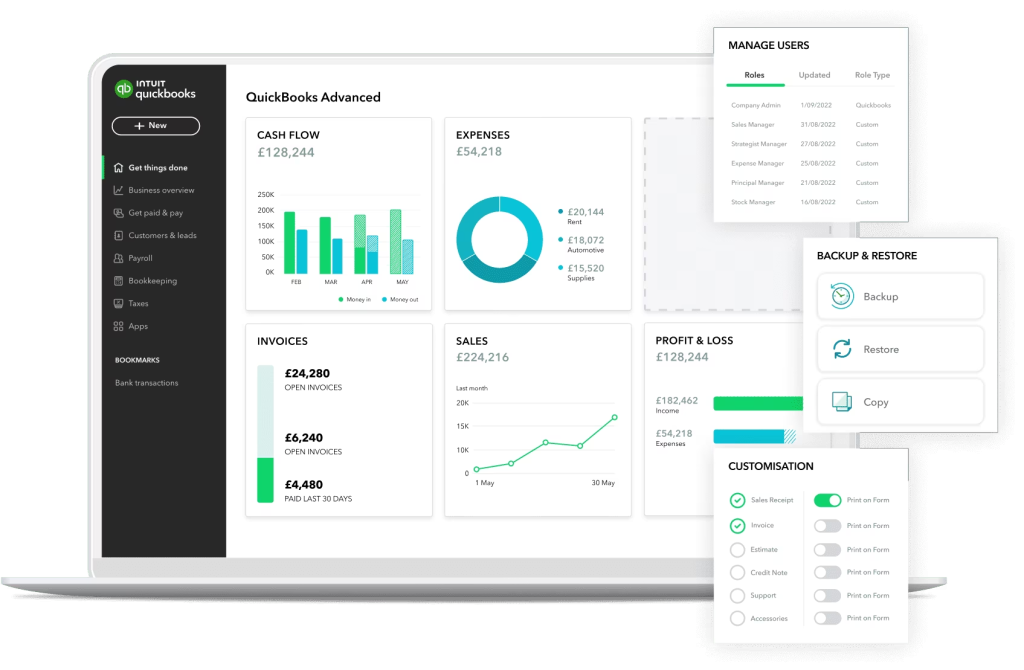
User roles and security configuration
Comprehensive role-based team training
Go-live support and assistance
First month-end close support
14 days post-launch optimization
-
Yes — this is actually one of the most common reasons businesses come to us. Messy QuickBooks files, multi-year reconciliation gaps, charts of accounts that grew without structure, data from integrations that never synced correctly — we've seen all of it. If your file is beyond efficient repair, we'll tell you that upfront and give you a clear recommendation (start fresh, migrate to a new version, or rescue the existing file). We won't string out a cleanup project just to bill more hours. Every engagement at Certum is fixed-scope, which means our incentive is to solve the problem correctly — not to make it take longer.
-
You need a QuickBooks consultant/provider if you have:
✓ Multiple revenue streams requiring separate tracking
✓ Integrations with payroll, e-commerce, or inventory systems
✓ Historical data to migrate from another system
✓ Multi-location or departmental reporting needs
✓ Complex inventory (lot tracking, FIFO, multi-warehouse)
✓ Job costing or project tracking requirements
✓ Industry-specific needs (construction, manufacturing, distribution)
✓ Previous DIY implementation that failed
✓ More than 5 users who need trainingDIY implementation works for:
Very simple businesses with minimal transactions
Single-person operations with no integration needs
Basic income and expense tracking
No historical data to migrate
No departmental or location tracking needed
The cost of cleanup from DIY mistakes ($-$$) typically exceeds professional implementation cost.
-
Yes, we specialize in QuickBooks recovery. Common scenarios we fix:
✓ Reports don't make sense or show incorrect information ✓ Month-end close takes 15-20 days and is full of errors ✓ Team won't use QuickBooks, still relies on spreadsheets ✓ Integrations broken, requiring manual data entry ✓ CPA says books need cleanup before tax preparation ✓ Can't track profitability by department/location/project ✓ Data migration went wrong, balances incorrect ✓ Too many manual workarounds
Our recovery process:
Comprehensive system audit
Recovery plan with detailed fixes
System corrections and rebuilds
Testing and validation
Team retraining
Supported go-live
-
Yes. We work across all QuickBooks versions and have specific expertise in each: QuickBooks Online (including Advanced), QuickBooks Enterprise (all industry editions), QuickBooks Desktop Pro and Premier, and the newer Intuit Enterprise Suite. If you're not sure which version is right for your business, that's a core part of what our initial consultation covers — we'll walk through the differences and give you a clear recommendation based on your business size, transaction volume, and feature requirements.
-
Yes. All implementations include a post-go-live support window. For businesses that want ongoing oversight beyond that, we offer QuickBooks Managed Support as a monthly service; keeping your system clean and your team supported as your business grows.
-
A small business should consider switching from QuickBooks to an ERP when it is managing multiple entities, running complex inventory across warehouses, needs manufacturing work orders or production planning, requires deep CRM or project management integration, or when QuickBooks reporting no longer gives leadership a full operational picture. Certum Solutions typically recommends ERP evaluation when a business exceeds $3M–$5M in revenue with operational complexity, though the trigger is process pain, not revenue alone. Platforms like Odoo ERP and Intuit Enterprise Suite can bridge the gap — Certum implements both and performs honest vendor-neutral assessments.
Get Started with Expert QuickBooks Implementation
Stop struggling with QuickBooks setup mistakes. Get your system implemented correctly the first time with Certum Solutions' professional QuickBooks implementation services.
15+ years | Intuit Advanced Certified | QuickBooks ProAdvisor Certified