Quick Summary: Intuit rolled out a new AI-assisted, human-reviewed employee and pay history import for businesses switching from ADP Run or Gusto to QuickBooks Workforce. This guide is written for U.S.-based small and mid-size business owners considering that move in 2026; what the new tool does, what it doesn't do, what you need ready before you start, and where a payroll partner still matters even with the process automated. Book a free consultation →
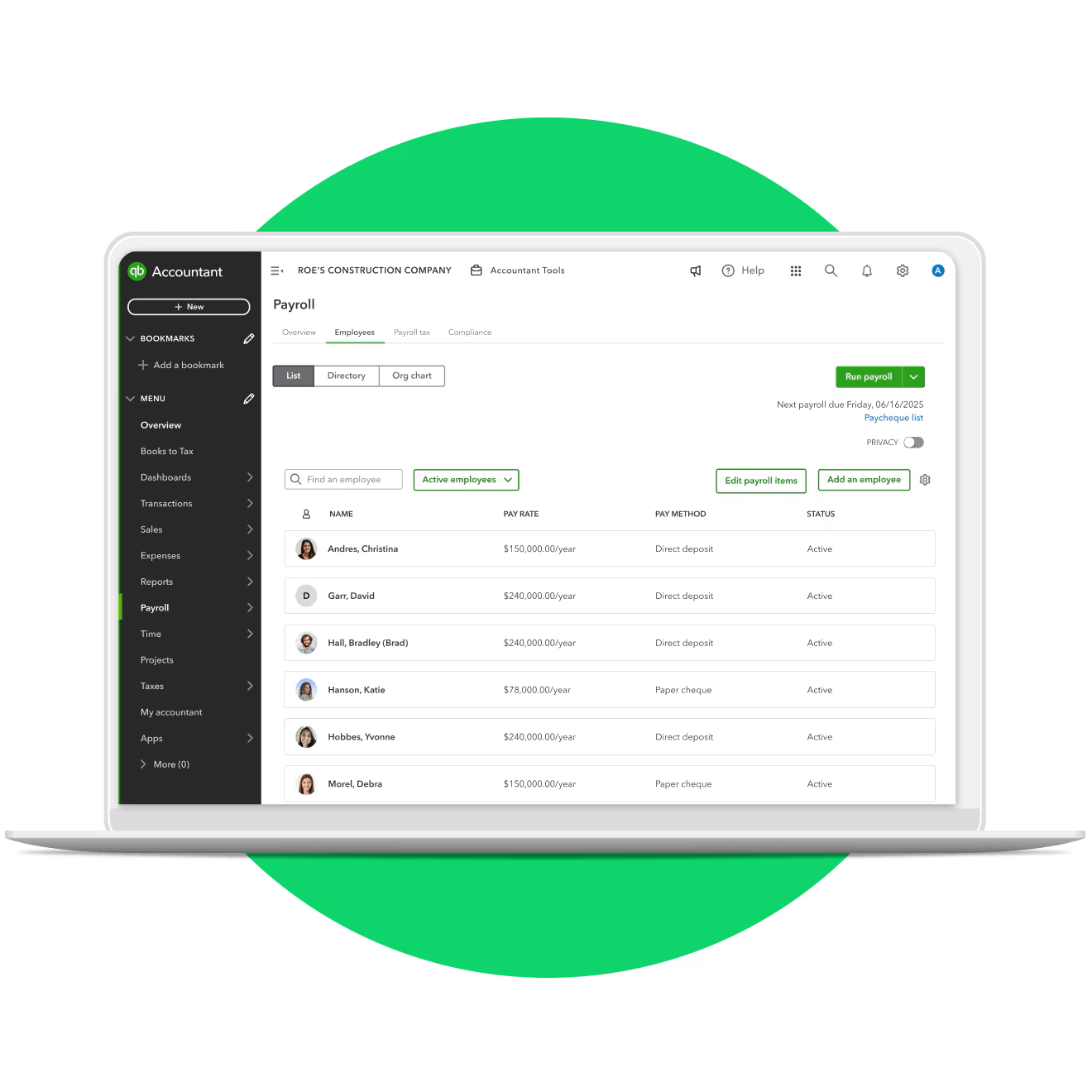
If you've looked into switching payroll providers before and backed away because of what it would take to move over every employee record, every pay history line, every year-to-date total; you're not alone. That manual re-entry step has been the single biggest reason businesses stay on a payroll system they don't love.
Certum Solutions has spent years inside QuickBooks payroll migrations, sitting with business owners while they moved off legacy systems, ADP, and Gusto, and watching exactly where those projects used to get stuck. As a QuickBooks Elite Partner and certified Solution Provider, we've handled the manual version of this process more times than we can count, which is exactly why the new tool Intuit announced on July 29, 2026, caught our attention.
This guide is written for U.S.-based business owners currently on ADP Run or Gusto who are weighing a move to QuickBooks Workforce in 2026. We'll walk through what the new AI-plus-human-review import actually automates, what it still requires from you, and where working with a partner instead of going direct still saves time and catches problems before they become paycheck errors.
What Changed on July 29, 2026
For years, moving payroll off ADP Run or Gusto meant one thing: somebody on your team re-keying every employee's information and every pay history line into the new system by hand. One transposed year-to-date number, and your first quarterly filing on the new platform is wrong.
On July 29, 2026, Intuit replaced that manual step with a self-service migration tool that uses automated data mapping plus a specialist review layer, available to QuickBooks Workforce customers on the Payroll, Premium, and Elite tiers switching from ADP Run or Gusto specifically. It doesn't touch your books; it moves your people and their pay history.
How the New Switcher Tool Actually Works
Step 1 — Exporting Your Reports from ADP Run or Gusto
You'll need two exports from your current provider: an employee summary report and a payroll history (earnings) report. If you're switching at year-end with no pay history to carry over, you can skip this step entirely.
Step 2 — The Automated Data Mapping
Once you upload both files into QuickBooks Workforce, the system parses them and maps the data into the right fields, the part that used to be a full afternoon of manual entry.
Step 3 — Human Specialist Review
Before anything reaches you, an Intuit payroll specialist reviews the imported history for errors and corrects issues before triggering the import. This is the step that catches the kind of mistake that used to slip through unnoticed until a filing came back wrong.
Step 4 — What's Left for You to Finish
You'll still need to add Social Security numbers, add direct deposit information, connect your bank account, and sign tax forms before you can run payroll. Any field in the review table can also be edited inline if something needs a correction. This still runs through the standard payroll setup wizard on top of the import.
Step 5 — Employee Self-Service Setup
Rather than you re-entering direct deposit and personal details for every employee, each person gets an "Invite to Workforce" link and completes their own setup.
What You Need Ready Before You Start
Before you begin the switch, have these on hand:
Reports: Employee summary report and payroll history (earnings) report from ADP Run or Gusto, skip this only if you're switching at year-end with no history to carry over
Business details: Your EIN and tax deposit frequency (monthly or semi-weekly)
Tax rates: Current state unemployment insurance (SUI) and SUTA rates
Banking: Business bank account details for direct deposit and tax payments
That banking and tax-rate requirement catches a lot of business owners off guard; it's easy to assume the two reports are the whole ask. They're not. You'll still go through the standard payroll setup wizard on top of the import.
What the Tool Doesn't Do (Yet)
This switcher currently supports ADP Run and Gusto only. ADP Workforce isn't supported, and Paychex and spreadsheet-based imports are still in development. If you're moving off QuickBooks Desktop payroll to QuickBooks Online, that's a separate migration tool entirely, not this one.
How Long Does an ADP or Gusto Switch Actually Take?
Turnaround depends on the quality of your existing data, not how fast you upload it. Clean records move through review quickly. Messier pay history — missing fields, inconsistent formatting, employees who've had multiple pay rate changes — takes longer, and complex cases can fall back to standard onboarding, which runs five to thirteen-plus business days.
What Happens to Your Payroll Once You're Live on QuickBooks
Once payroll runs on the new system, wage expenses, tax liabilities, and deductions post directly to QuickBooks Online — no manual reconciliation between your payroll provider and your books. If you're already using QuickBooks Online for accounting, this closes a gap a lot of ADP and Gusto users deal with today: payroll and books living in two different systems that don't talk to each other.
Should You Switch Providers or Just Switch Plans?
Not every business that's frustrated with ADP or Gusto needs a full provider switch. Sometimes the real issue is being on the wrong plan tier for the level of support you actually need — particularly if you have multi-state employees, complex overtime rules, or need dedicated support during tax season. Businesses with more complexity often do best on Workforce Elite, which includes more hands-on support than the base tiers.
Why Businesses Still Use a Payroll Partner Instead of Going Direct
The new tool removes a lot of manual data entry. It doesn't remove the judgment calls: which plan tier actually fits your headcount and complexity, how to handle a mid-year switch without a gap in coverage, what to do when your pay history doesn't cleanly map because of a past acquisition or a payroll schedule change, or how your new payroll setup should tie into your existing QuickBooks accounting file.
That's the part Certum Solutions handles as a QuickBooks Elite Partner — we've been through this migration path with businesses switching off ADP Run and Gusto long before this tool existed, and we know where the review step tends to flag a mismatch versus a genuine data error. If something surfaces mid-migration that doesn't look right, you have a Certified QuickBooks ProAdvisor already looking at your file, not a support queue.
Common Questions About Switching From ADP or Gusto
Do I need to manually re-enter my employees' pay history when I switch to QuickBooks?
No. As of July 29, 2026, QuickBooks Workforce automates this step for ADP Run and Gusto switchers through an upload-and-review process, replacing manual re-entry.
What reports do I need from ADP or Gusto before I switch?
An employee summary report and a payroll history (earnings) report. You can skip this if you're switching at year-end with no history to carry over.
Does this tool work if I'm on ADP Workforce instead of ADP Run?
Not currently. ADP Workforce isn't supported yet. Paychex and spreadsheet-based imports are in development for the next fiscal year.
How long does switching payroll providers actually take?
It depends on your data quality. Clean records move through quickly; messier history takes longer, and complex cases fall back to standard onboarding, which can take five to thirteen-plus business days.
Will my payroll data automatically show up in my QuickBooks books?
Yes, once payroll runs, wage expenses, tax liabilities, and deductions post directly to QuickBooks Online without manual reconciliation.
Should I switch to QuickBooks Online for payroll, or just change plans within my current provider?
That depends on your complexity. Multi-state employees, dedicated tax-season support needs, and integration with your books are all reasons a full switch might make more sense than a plan change — a quick conversation with a payroll specialist can settle this fast. Talk to a QuickBooks payroll specialist →
Can Certum help even though the process is now self-service?
Yes. The tool handles the data movement; we handle the plan selection, the setup review, and catching issues in complex pay histories before they become a filing problem.